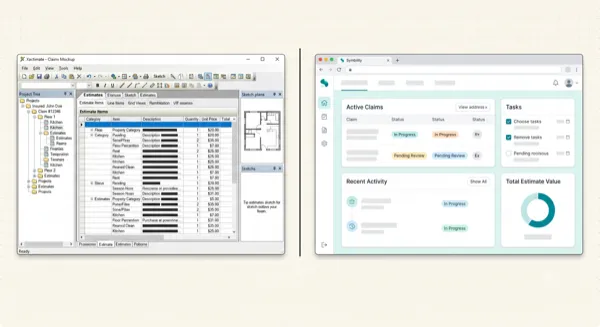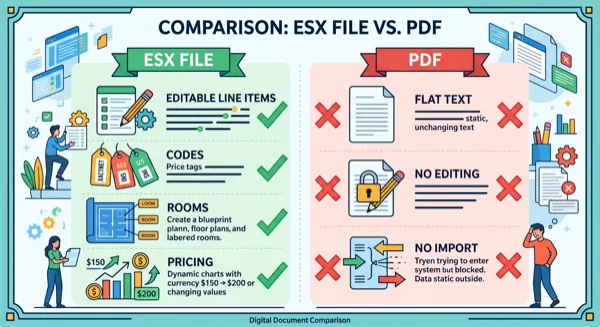
Stop Re-Typing PDF Estimates. A Contractor's Workflow for Getting Data Into Xactimate Fast.
Article Image
I'm a Roofer, Not a Data Entry Clerk
Let me tell you how I got here. Three years ago, a hailstorm hit Tulsa. We got slammed. 87 claims in two weeks. Every one of them came with a carrier estimate as a PDF.
I had two guys in the office handling Xactimate. Between supplements, material orders, and actual scope reviews, they were already stretched thin. And now we had 87 PDFs that needed to be re-typed into Xactimate before we could start production planning on any of them.
We fell behind. Way behind. Jobs that should have started in week two didn't begin until week five. Homeowners were calling every day asking when we'd start. We lost four jobs to competitors who got to them faster. I'm not guessing about that number. Four customers told us directly they went with someone else because we took too long.
The bottleneck wasn't materials. It wasn't crews. It wasn't insurance approval. It was data entry. Re-typing PDFs into Xactimate. The most brain-dead, lowest-value task in the entire restoration process, and it was the thing holding up everything else.
That's when I decided to build an actual workflow around this problem instead of just grinding through it.
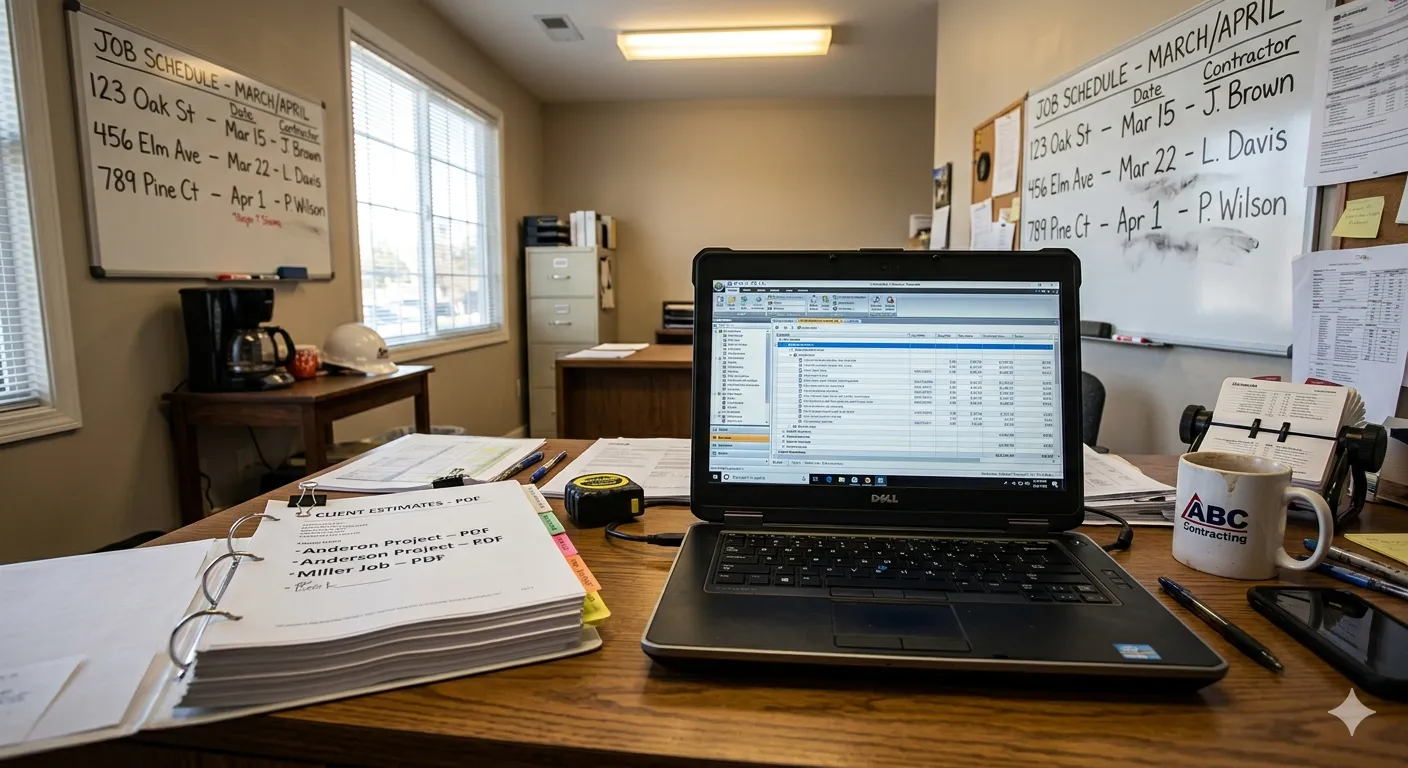
Why Contractors Need PDF Estimates in Xactimate
For people outside the trade, let me explain why we can't just read the PDF and get to work.
When a carrier sends their estimate as a PDF, it's their scope of what they'll pay for. I need that scope inside MY Xactimate so I can do three things.
Build my material list. Xactimate's line items map directly to materials. If the scope says 28 squares of architectural shingles, I know exactly what to order. But I can't pull that data out of a PDF and into my supplier portal. I need it in Xactimate where I can generate a material list.
Write my supplement. Nine times out of ten, the carrier's scope is missing something. Drip edge. Starter strip. Ice and water shield in the valleys. Whatever they left off, I need their original line items in my Xactimate so I can write a supplement on top of it. You can't supplement a PDF. You supplement an Xactimate estimate.
Schedule my crew. I plan jobs based on the scope. A 30-square reroof with one layer tear-off is a two-day job for my crew. But if I'm reading that off a PDF instead of having it in my project management workflow, things get missed. Xactimate feeds into our scheduling and budgeting process. The PDF doesn't.
So yeah, every PDF that comes in needs to get into Xactimate. There's no shortcut around that reality.
The Old Way (And Why It Nearly Killed My Business)
Before I figured this out, our process looked like this.
PDF comes in from the carrier. It sits in someone's email until they have time to deal with it. Eventually one of my office guys opens Xactimate, puts the PDF on the other screen, and starts typing. 45 minutes for a small roof. Two hours for a medium one with interior damage. God knows how long for the big commercial jobs.
During that time, they're not doing anything else. Not reviewing scopes. Not writing supplements. Not processing invoices. Not returning homeowner calls. Just typing numbers from one screen into another.
After the hailstorm debacle, I did some math. We were averaging about 60 hours a month on PDF re-entry across two people. At $35/hour fully loaded, that's $2,100 a month. $25,000 a year. On typing.
And the opportunity cost was worse. Those 60 hours could have been spent writing supplements. Every unwritten supplement is money left on the table. I estimated we were missing $3,000-5,000 a month in supplemental recovery because my team was too busy re-typing to actually review carrier scopes for missing items.
The Workflow We Use Now
It took some trial and error, but here's what we landed on. I'm going to be specific because vague advice is useless.
Step 1: PDF Triage (2 Minutes)
When a carrier PDF lands in our shared inbox, whoever grabs it first does a quick triage. Opens the PDF. Counts the rough number of line items. Checks whether the text is selectable (important for conversion accuracy).
If it's under 30 line items and we need it immediately, sometimes we just re-type it. At that size it's 15-20 minutes and the overhead of running it through a tool barely saves time.
If it's over 30 line items, it goes to Step 2.
Step 2: Conversion (10-20 Minutes)
Upload the PDF to ProjectEstimatePro. Drag, drop, wait. On most carrier estimates in the 100-300 line item range, it takes 10-15 minutes to process. Bigger ones push toward 20.
While it's processing, we move on to the next task. This isn't babysitting time. It's background time. Go return a homeowner call. Review another scope. Do literally anything productive.
Step 3: Quick Review (5-15 Minutes)
This is non-negotiable and I don't let anyone skip it. When the conversion is done, someone reviews the output before downloading.
The person who reviews the conversion needs at least 2 years of Xactimate experience. Junior staff won't catch code matching errors that an experienced estimator spots in seconds.
What we check:
- Room names match the original PDF. Sometimes "Master Bedroom" gets mapped as "Bedroom 1" or something close but not exact. Quick fix.
- Roofing codes are the right variant. The difference between RFG LAMI and RFG 3TAB matters. The tool usually gets it right, but we verify.
- Quantities look reasonable. If the PDF says 28 SQ and the conversion says 2.8 SQ, that's an obvious decimal error. Catch it now.
- All rooms from the PDF appear in the output. Occasionally a small room like a hallway closet gets merged into an adjacent room.
On a typical residential claim, review takes 5-8 minutes. On a big commercial job, maybe 15.
Step 4: Import Into Xactimate (2 Minutes)
Download the ESX. Open Xactimate. Go to the project. Tools > Import. Point to the file. Import. Done.
Verify the estimate loaded into the right project. Open a couple of rooms and spot-check that line items are there. This takes about 2 minutes and I've never had an import fail, but I check anyway because I've been burned by software enough times to not trust anything blindly.
Step 5: Supplement Review (This Is Where the Money Is)
Now the carrier's scope is in my Xactimate. This is where my estimators earn their keep. They go through the carrier's line items and find what's missing.
Missing drip edge on a roof? Add it. No ice and water shield in the valleys? Add it. They scoped one layer of tear-off but the roof has two layers? Add the second layer. Demo labor missing from the interior scope? Add it. No O&P on a multi-trade loss? Add it and fight for it.
This is the high-value work. This is what generates revenue. And my guys can start doing it 20 minutes after the PDF arrives, instead of 3 hours later.
The Numbers After 6 Months
I track everything. Partly because I'm a control freak, partly because I want to know if the tools I'm paying for are actually paying for themselves.
| Metric | Before | After |
|---|---|---|
| Avg time from PDF received to Xactimate ready | 2-3 hours | 25 minutes |
| Monthly hours spent on re-entry | 60 hours | 11 hours |
| Supplements written per month | 18-22 | 30-35 |
| Avg supplement recovery per claim | $1,800 | $2,400 |
| Jobs lost due to slow turnaround (storm season) | 4 per storm event | 0 last season |
That supplement number is the one that matters most. We went from $1,800 average to $2,400 average per supplement. Not because the tool writes better supplements. It doesn't write supplements at all. But because my estimators have time to actually review carrier scopes carefully instead of rushing through them because they're 3 hours behind on data entry.
The extra $600 per supplement across 30+ claims a month is roughly $18,000 in additional monthly revenue. For a tool that costs us maybe $200-300 a month in conversion fees.
I'll take that trade every single day.
Mistakes We Made Along the Way
I want to share a few things we learned the hard way so you don't repeat them.
We tried having the junior guy do all the conversions. Bad idea. He didn't have enough Xactimate experience to catch code matching errors during review. A mis-mapped code that an experienced estimator catches in 2 seconds, the junior guy just approved without questioning it. Now our rule is: the person who reviews the conversion needs at least 2 years of Xactimate experience.
We forgot to match price list periods. For the first month, we kept getting confused about why our numbers didn't match the carrier's. The conversion tool uses your default price list. The carrier's PDF might be from a different month or even a different region. Now we always check the price list date on the original PDF header before importing, and adjust our Xactimate price list to match.
We tried to convert scanned documents. One of our subs faxes us his estimates. Yeah, faxes. In 2026. Those come through as scanned images, not selectable text. The conversion accuracy tanks on those. We learned to either ask for the digital file or just re-type the short ones. For scans, manual entry is sometimes still the move.
Tips for Other Contractors
If you're thinking about building a similar workflow, here's what I'd tell you.
Start small. Pick your next 5 incoming PDF estimates and run them through a conversion tool. Time yourself. Compare the results to manual re-entry. You'll see the difference immediately and you won't have to take my word for it.
Don't skip review. I said it already but I'll say it again. The tool is not 100% accurate. It's 94-96% on clean PDFs. That last 4-6% is your responsibility. A carrier will absolutely reject a supplement if the underlying estimate has wrong codes in it.
Track your supplement recovery. This is the hidden ROI. The time you save on data entry should go directly into writing better supplements. If you're not tracking supplement dollars recovered per claim, start now. That metric will tell you whether your workflow changes are actually making money.
Talk to your subs about file formats. Every time a sub sends you a PDF that was clearly generated from Xactimate, that's an ESX file that could have been sent directly. I started asking subs to export ESX when possible. About half of them do it now. Free time savings, no tool needed.
Get your team to buy in. My senior estimator was skeptical at first. "I can type it faster than I can learn a new tool." He was wrong, but I let him prove it to himself. After timing himself on 5 manual conversions and 5 tool-assisted conversions, he came around. Now he's the one telling new hires about the workflow.
This isn't glamorous stuff. Nobody gets into roofing because they love Xactimate data management. But the contractors who figure out how to eliminate bottlenecks in their office workflow are the ones who grow. The ones who don't are the ones pulling 12-hour days during storm season because they're buried in data entry while their crews are standing around waiting for material orders that haven't been processed yet.
Fix the bottleneck. Everything downstream gets better.
Got questions about setting up a workflow like this for your team? Hit up support@projectestimatepro.com. They helped me sort out our volume pricing when we first got started.
Written by
Cody Beecham
Owner, Beecham Roofing & Restoration, 9 Years
Frequently Asked Questions
Yes. The conversion tool produces an ESX file, which is Xactimate's native format. You need an active Xactimate license (desktop or online) to import and work with the file. There's no way around the Xactimate requirement for insurance restoration work. If you have questions about what's included or need help getting started, email support@projectestimatepro.com.
It varies by tool. ProjectEstimatePro offers 65 free line items per file, then charges $0.10 per additional line item. For a typical 150-line residential estimate, you're looking at under $10. Compare that to 2-3 hours of your estimator's time, or $40-85 on Fiverr, and the math is pretty clear. For team pricing or volume questions, contact support@projectestimatepro.com.
Absolutely. The imported ESX is a fully editable Xactimate estimate. You can add line items, change quantities, move things between rooms, add F9 notes, write supplements on top of it, anything you'd normally do in Xactimate. The import gives you a starting point, not a locked file.
The conversion still works, but accuracy depends on the source. Xactimate-generated PDFs convert at 94-96% accuracy because the formatting is predictable. Contractor bids from Word or Excel, or estimates from Symbility, might come in at 85-90%. You'll spend a bit more time on the review step, but it still beats manual re-entry by a wide margin.
We set a threshold of 30 line items. Below that, manual re-entry takes about 15-20 minutes and isn't worth the overhead of uploading and reviewing. Above 30 lines, the conversion tool saves significant time. In storm season when volume spikes, we convert everything regardless of size because speed matters more than optimizing a few minutes.
Convert Your PDF Estimates to Xactimate
Upload a PDF and get an editable ESX file in minutes. No manual data entry required.
Try Free ConversionPractical next steps