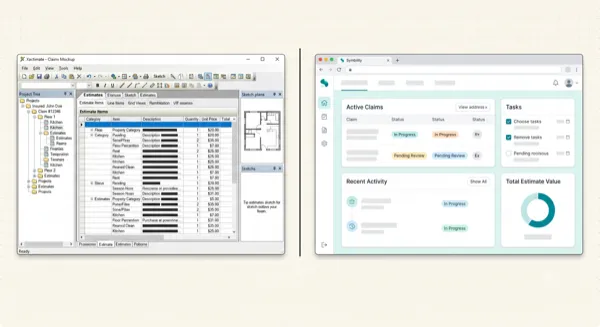
ESX Files Explained: What They Are, Why They Matter, and How to Stop Fighting With Them
Article Image
What Even Is This File?
If you're reading this, someone probably emailed you an ESX file and you have no idea what to do with it. Or maybe Xactimate just threw an error when you tried to import one. Or maybe, like me three years ago, you're just frustrated that the entire insurance industry revolves around a file format nobody can explain in plain English.
So here's the deal. An ESX file is Xactimate's way of packaging an estimate into a single file. Think of it like a .docx for Word or a .psd for Photoshop. It's not a PDF. You can't open it in Adobe or preview it in your email. It only opens in Xactimate.
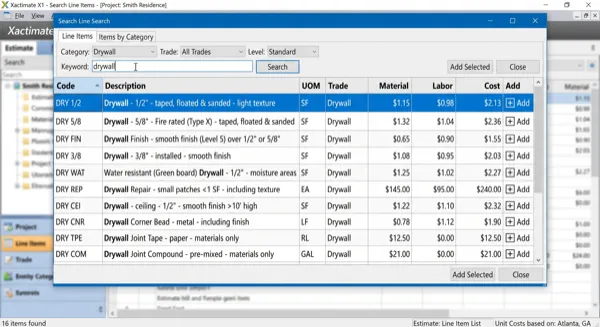
Inside that ESX file? Everything about the estimate: every line item with its Xactimate code, the quantities, material and labor pricing, room groupings, F9 notes (those little justification notes you attach to individual lines), claim info like the property address and date of loss, and even the sketch if one was included.
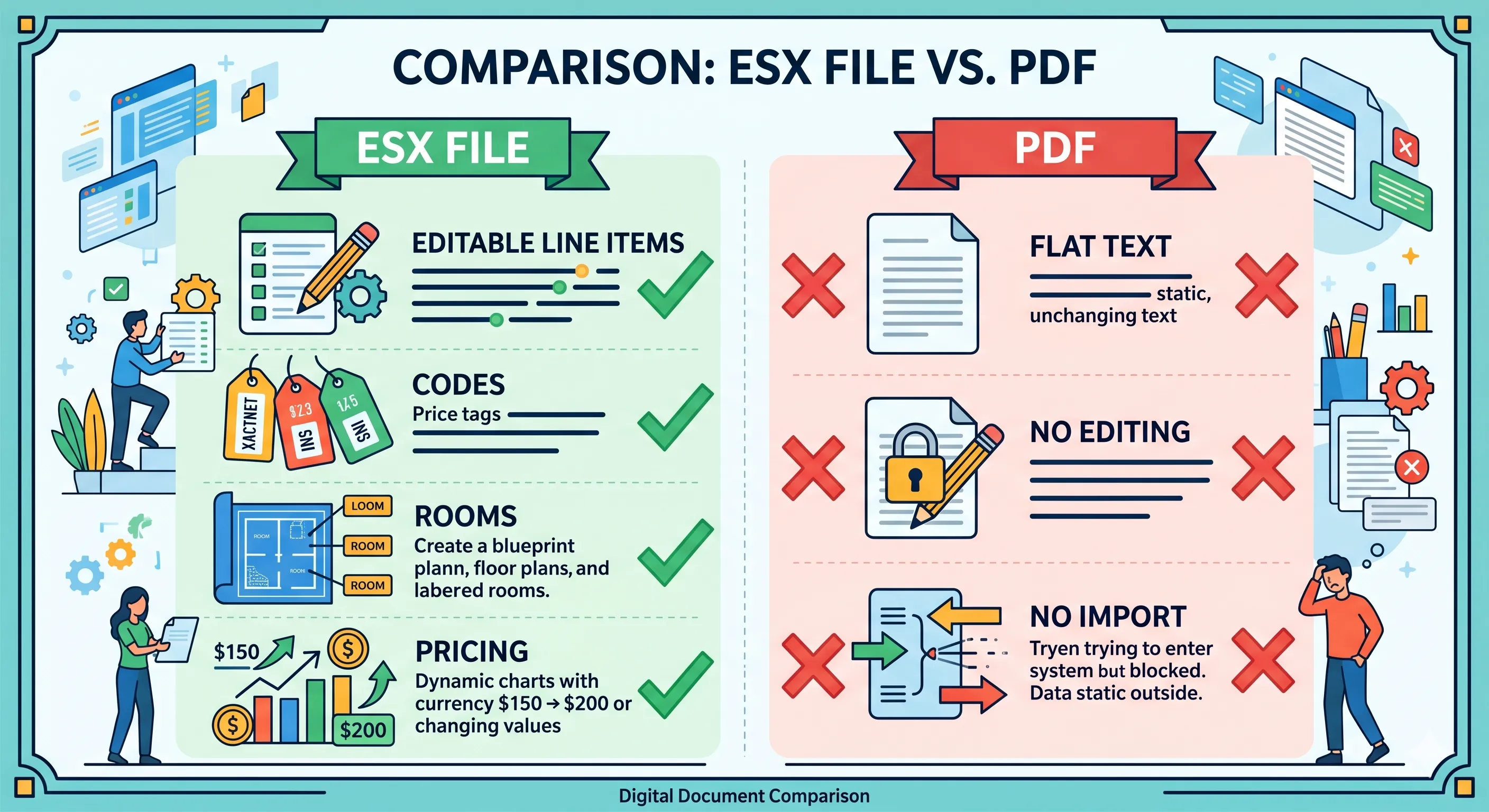
The key difference from a PDF: an ESX file is editable. You can open it, change line items, adjust quantities, add rooms, modify pricing. A PDF of the same estimate is just a picture. You can look at it, but you can't change anything.
Why Does This Format Even Exist?
Because Verisk said so. That's the real answer.
Xactimate (owned by Verisk Analytics) has been the industry standard since 1986. When carriers process claims through XactAnalysis, the web platform where estimates get routed between adjusters, carriers, and contractors, they need ESX files. Not PDFs. Not spreadsheets. ESX.
The format is completely proprietary. Verisk hasn't published a spec for it. There's no open documentation. You can't write a script to generate one. You can't crack one open in a text editor and make sense of it. It's a black box, and that's by design.
This drives me absolutely crazy, by the way. I run a restoration company. I get adjuster estimates as PDFs all the time. To get that data into my Xactimate instance so I can plan the job, order materials, and schedule crews, I used to have to re-type the whole thing. For a format that's been around since the '80s, this is embarrassing.
What's Actually Inside an ESX File
Here's what gets packaged up when you export an estimate:
| What's in there | What it means for you |
|---|---|
| Line items with Xactimate codes | The actual scope, every task, material, and service |
| Quantities and units (SF, LF, EA, SQ) | How much of each item |
| Material + labor pricing | From whatever regional price list was active |
| Room/area groupings | The folder structure: Kitchen, Master Bath, Roof, etc. |
| F9 notes | Per-line justifications (super important for supplements) |
| Claim header info | Address, DOL, claim number, policy info |
| Sketch data | Floor plans and roof diagrams, if they were drawn |
| Depreciation and O&P settings | How ACV was calculated |
What's NOT in there: photos. Even if the estimate had photos attached in Xactimate, they usually don't travel with the ESX. You'll need those separately.
How to Import an ESX Into Xactimate (Without Losing Your Mind)
I've watched new estimators struggle with this, so I'm going to be really specific.
On Xactimate Desktop: Open Xactimate and you should see your Projects list. On the left side panel, click Tools. You'll see Import and Export options, so select Import. There's a Location field where you point to whatever folder the ESX file is sitting in, whether that's Desktop, Downloads, wherever. Click SELECT DATA and your ESX file should appear in the list. Click on it, hit IMPORT, and you're done.
The estimate shows up in your project tree with all the rooms, line items, and notes intact. From there you can edit, supplement, whatever you need.
On Xactimate Online: Log in at xactimate.online (or through XactAnalysis, depending on your setup), go to Estimates, find the Import button, click it, pick your ESX file and upload. Pretty straightforward, but the desktop version gives you more control over the import settings.
The Errors You're Going to See
I've hit all of these. Here's what they mean and how to fix them.
Most ESX import problems come down to version mismatches or missing price lists. Before panicking, make sure your Xactimate is up to date.
"Cannot open ESX file" or it just won't import. Version mismatch. If the ESX was created in a newer version of Xactimate than what you're running, it might not be compatible. Update your Xactimate. This happens to me every time Verisk pushes a major update and I've been putting off the install.
"Estimate is locked." The person who exported the ESX had it locked in their instance. A locked ESX is read-only, so you can view it but not edit it. Ask them to unlock the estimate before exporting. This one is annoying because there's nothing you can do on your end.
"Price list not found" or pricing shows as $0.00. The ESX was built using a regional price list that you don't have installed. Go into your Xactimate settings and download the price list for that region. If it's an old price list that's been retired... well, that's a whole other headache.
File just seems empty after import. Check that you're looking in the right project. I've imported files and then spent 10 minutes searching before realizing it went into a different project folder than I expected.
Can You Create an ESX Without Xactimate?
Technically? Almost impossible, because Verisk keeps the format locked down. There's no public spec, no SDK, no "create ESX" API you can just call.
In practice, there are now a few tools that have figured it out. ProjectEstimatePro can convert a PDF into an ESX. Some of the conversion services on Fiverr clearly have a way to generate them (or they're just re-typing everything into Xactimate manually and exporting, which is probably what most of them do).
But the point stands: Verisk controls this format, and that control is a big part of how they maintain their grip on the industry. It's the reason you can't just email a spreadsheet to your carrier. It's the reason PDF estimates are useless without manual re-entry. And it's the reason tools that can bridge the PDF-to-ESX gap are so valuable.
The day Verisk opens up the ESX format or builds a PDF import is the day I eat my hard hat. Not holding my breath.
Written by
Ray Vasquez
Restoration Contractor & Estimator, 15 Years
Frequently Asked Questions
Only Xactimate, either the desktop version or Xactimate Online. You can't open them in Adobe, Excel, or any other program. It's Verisk's proprietary format and they've kept it locked down.
Use a conversion tool like ProjectEstimatePro. You upload the PDF, it extracts the line items and data, and spits out an ESX you can import into Xactimate. Beats spending 3 hours re-typing everything.
Yes, you can attach it to an email like any other file. But the person receiving it needs Xactimate to open it. Most adjusters share estimates through XactAnalysis instead of email, but email works fine for contractor-to-contractor or PA-to-contractor sharing.
Nope. Verisk has never published a spec or SDK for it. The format is a black box by design. It keeps everyone locked into Xactimate as the only way to create and read estimates.
Convert Your PDF Estimates to Xactimate
Upload a PDF and get an editable ESX file in minutes. No manual data entry required.
Try Free ConversionPractical next steps